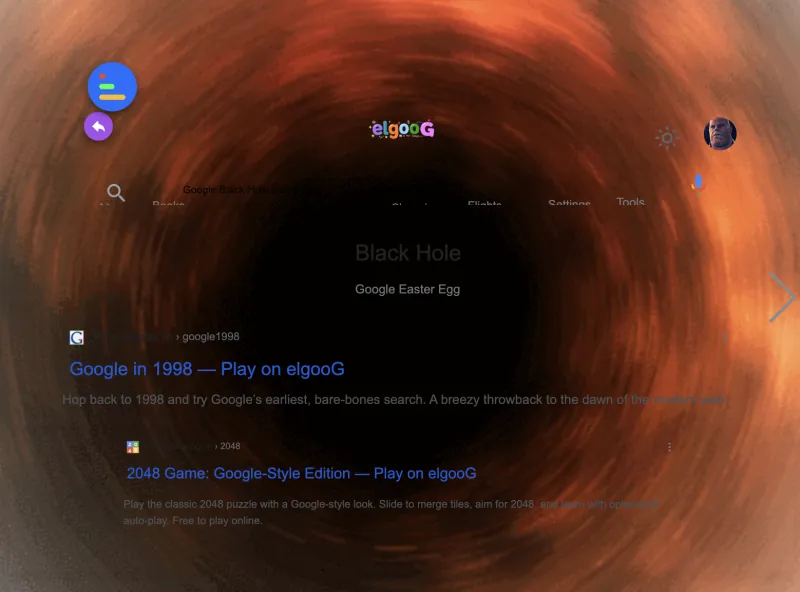
Google Gravity is one of the most creative and entertaining browser experiments ever made. In this interactive game, the familiar Google homepage is pulled down by the force of gravity. As soon as you move your mouse or click, all the elements on the screen collapse and tumble as if they’ve lost their structure—creating a playful and chaotic version of your favorite search engine.
Developed as a fun JavaScript project, the Google Gravity game has become a viral favorite among users who enjoy quirky digital experiences. While you can still search the web, the visual twist makes it much more amusing. Watch as the search bar, buttons, and even the logo fall, bounce, and roll across your screen.
What makes Google Gravity stand out is its unexpected behavior. It transforms a normal browsing moment into an interactive physics sandbox. Users can drag and toss elements around, stack them up, or simply enjoy watching Google fall apart in real-time. It’s a great example of how coding and creativity can bring even the most familiar interfaces to life.
This game is a hit with users of all ages, especially those who love clever tricks, optical surprises, or browser-based experiments. It’s not about winning or losing—it’s all about play, curiosity, and watching your digital world collapse in the most entertaining way possible.
Whether you’re killing time, showing off something cool to friends, or just want a break from routine, Google Gravity offers a light-hearted experience that’s worth checking out. Dive in and see how your screen turns into a floating, bouncing playground!
How to Play Google Gravity
Playing Google Gravity is a fun and simple experience that anyone can enjoy. Start by visiting the Google Gravity link, and you will immediately see the familiar Google homepage collapse as if pulled by real gravity. The search bar, buttons, and even the logo will fall to the bottom of the screen, creating a playful and chaotic interface. You can click and drag any of these elements to experiment with their movement and see how they react to physics in real time.
Once you get used to manipulating the falling elements, try combining different actions to create fun interactions. For instance, you can stack the buttons on top of each other or toss the Google logo across the screen. Each click and drag changes how the elements behave, making every session unique. This interactive approach keeps players engaged and encourages creativity while exploring the game.
For those looking for an extra challenge, the Google Gravity Lava mode introduces a dynamic hazard where a stream of lava flows across the screen. Your goal is to interact with the falling elements while avoiding the lava, which adds a layer of strategy and excitement. You can test your reflexes by moving elements quickly or experiment with funny scenarios where lava interacts with the Google interface in unexpected ways.
Overall, Google Gravity offers a playful twist on a familiar interface by turning simple physics into a source of entertainment. Whether you’re experimenting freely, creating humorous setups, or taking on the added challenge of lava mode, the game rewards curiosity and experimentation. It’s a great example of how small interactive ideas can transform an everyday search page into a memorable and engaging experience.