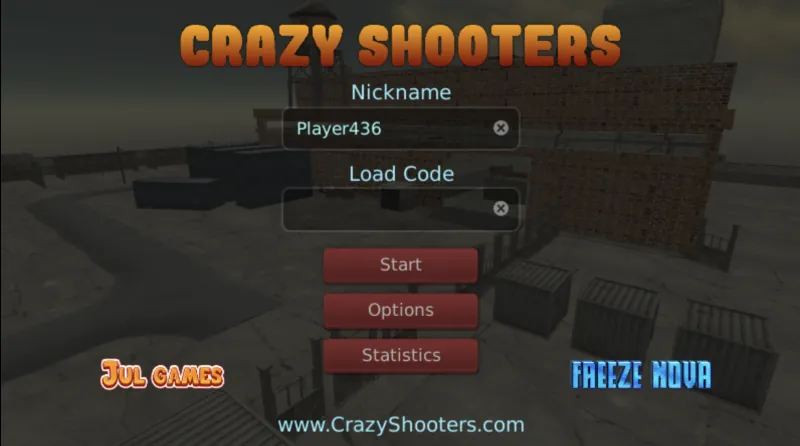
Crazy Shooters 2 is the sequel to JulGames’ popular browser-based FPS, bringing more weapons, better graphics, and the same fast-paced multiplayer action that made the original a hit. Released in March 2019, it drops you into competitive matches against players worldwide where quick reflexes and smart positioning determine who comes out on top.
The game offers two core modes: Free-for-All where everyone’s a target, and Team Deathmatch where you coordinate with teammates to outscore the opposition. You can jump straight into action with Quick Start, browse existing rooms to join, or create your own match with custom settings. When hosting a room, you control everything from which weapons are available to the map selection and match rules — handy for setting up private games with friends.
Your arsenal includes 9 weapons covering every combat situation: combat knife for desperate close encounters, pistols, shotguns, SMGs, sniper rifles, and even an RPG for when you want to make a statement. Each weapon handles differently, so learning when to switch is crucial. Get caught scoped in with a sniper when someone rushes you with an automatic weapon and you’re in trouble. The game supports up to 16 players per match, which keeps the action intense without becoming chaotic.
What separates good players from great ones is movement. Standing still makes you an easy target, so you’ll want to keep mobile while learning the map layouts. The environments offer enough cover for tactical play while maintaining clear sightlines for skilled shooters. Matches run on a timer, and the player or team with the most kills when time expires wins.
How To Play Crazy Shooters 2
Move with WASD or the arrow keys. Use your mouse to aim and left-click to fire.
Right-click to aim down sights for improved accuracy at range. Press R to reload before your magazine runs dry.
Press Space to jump and hold Shift to sprint across open ground. Use C to crouch or Ctrl to go prone for a smaller target profile.
Switch weapons using the number keys 1-9 or scroll your mouse wheel. Press T to open chat and Tab to access the menu.
Keep moving between engagements, memorise the maps, and swap weapons based on the range of your fights.